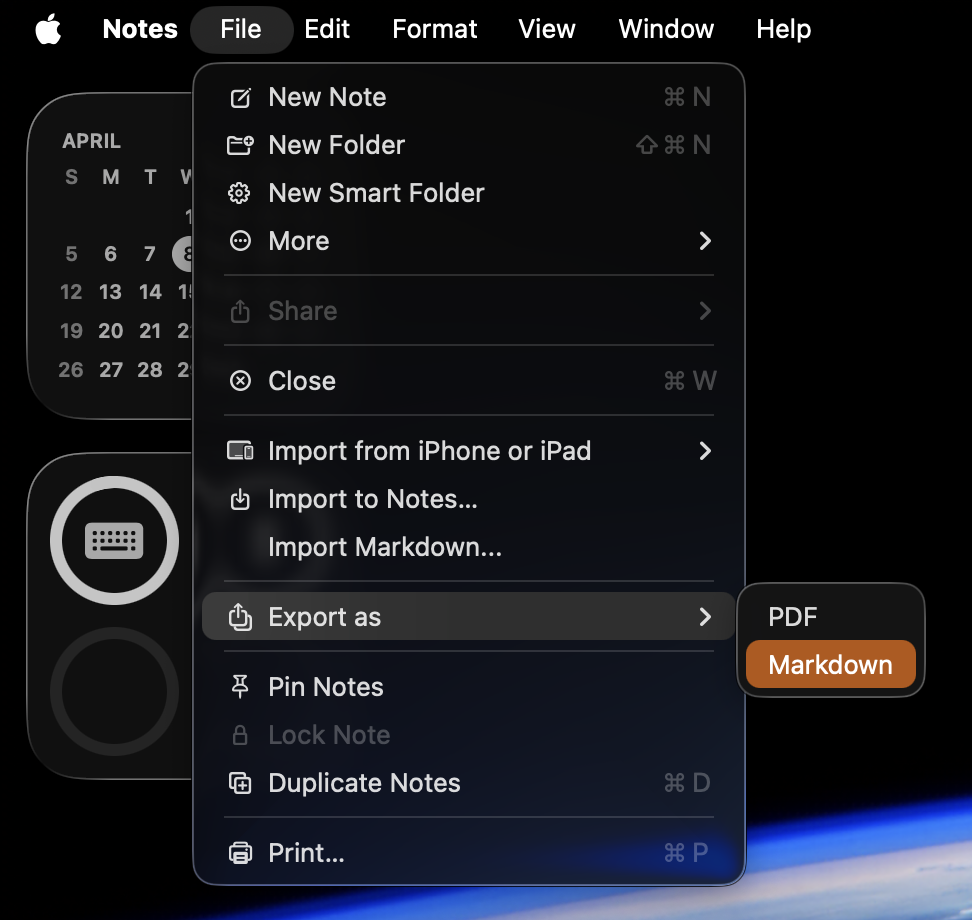
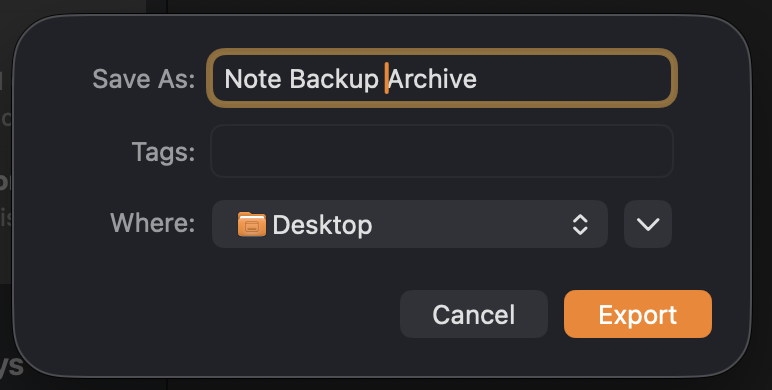
For those looking to backup their Notes within MacOS 26.4, our recommendation would be to back up each note as Markdown Files. Markdown files (with .md or .markdown extensions) are plain-text files that use a lightweight markup language to add formatting, such as headings, bold text, lists, and links, without using complex HTML tags. Markdown files can be opened by virtually any text editor (Notepad, TextEdit) and on any platform.
Step 1 - Open up Notes
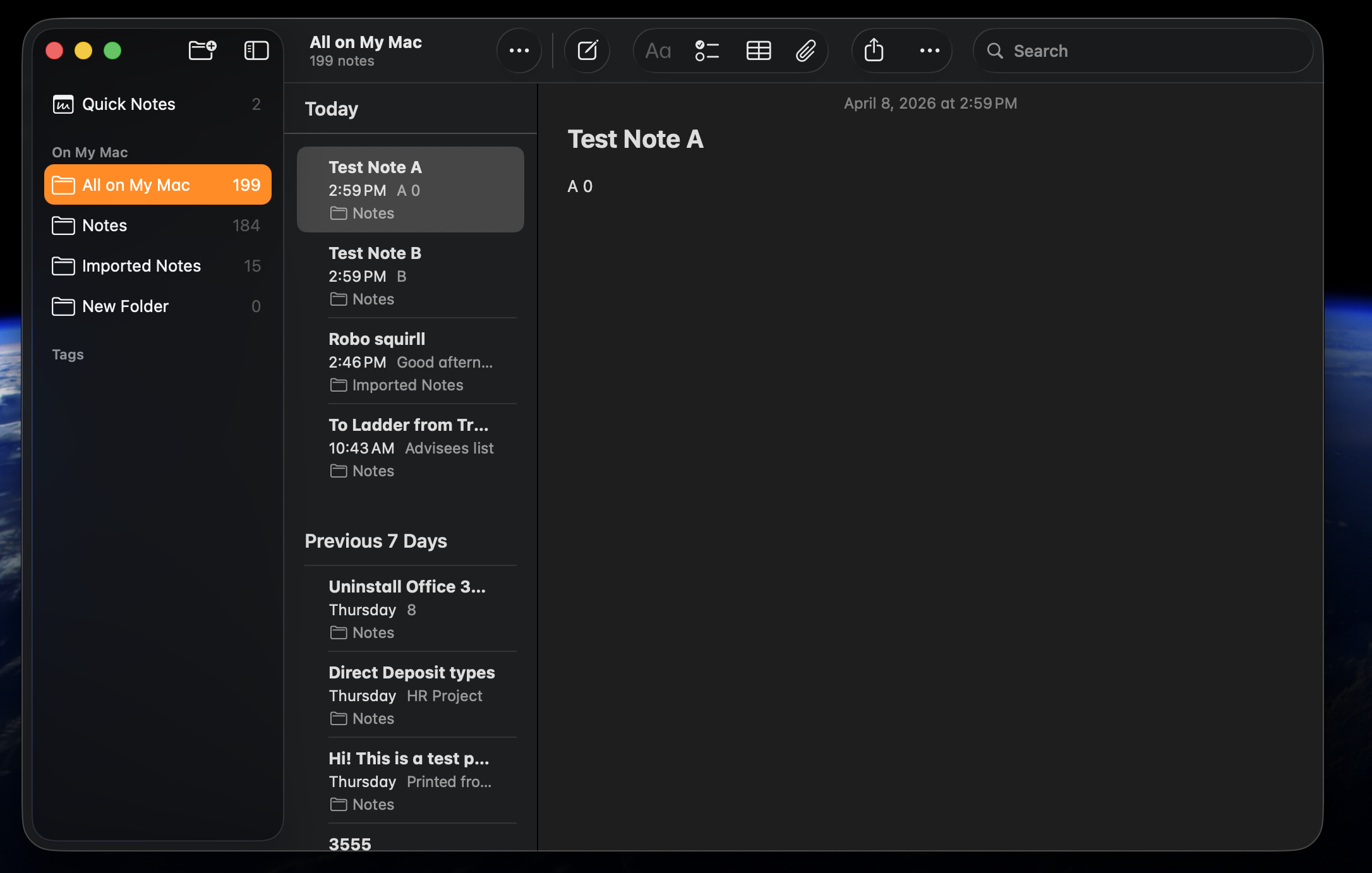
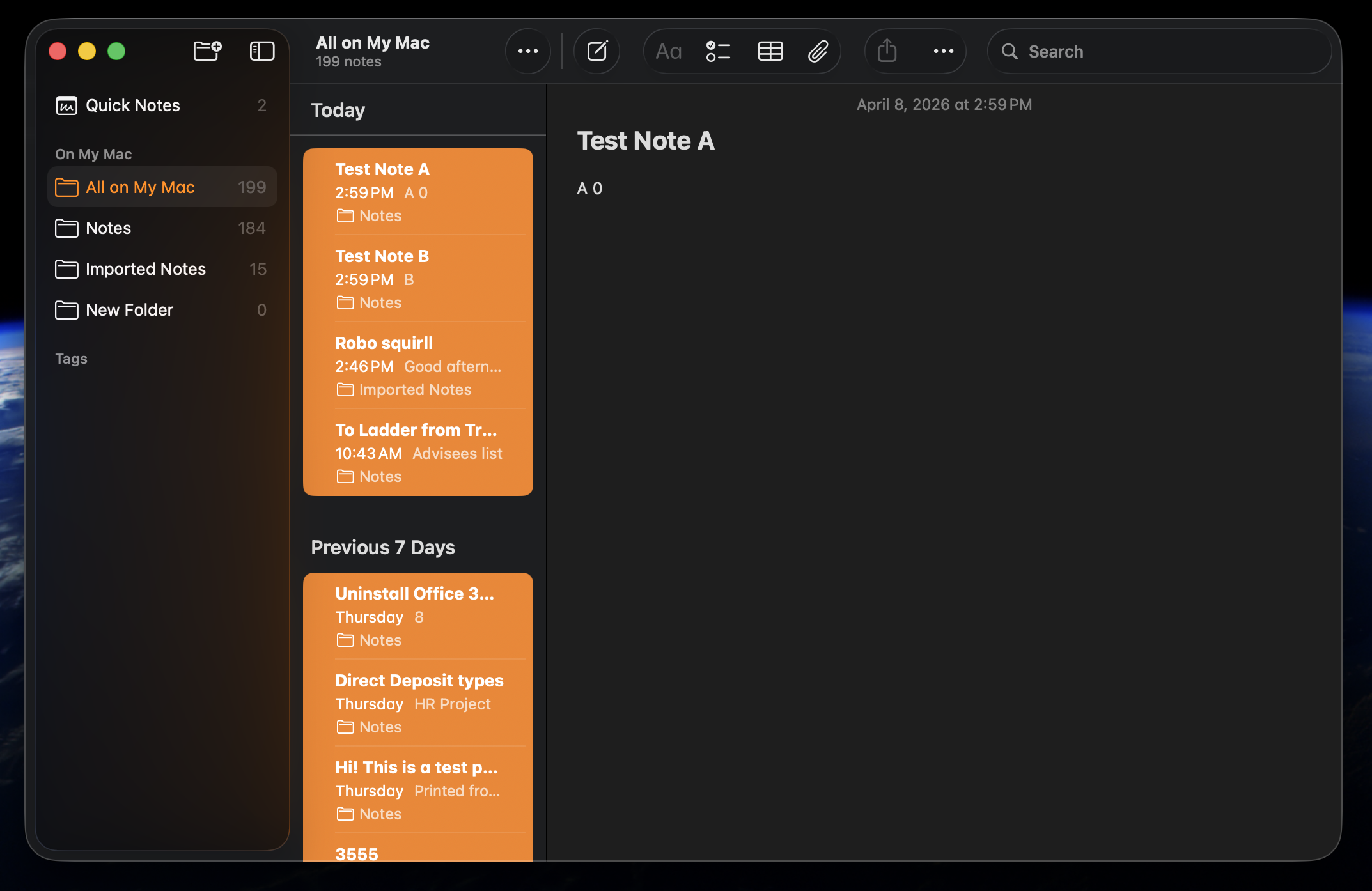
Step 2 - Select the Notes you want to back up
To select ALL, click on the top/most recent and scroll down to the earliest/bottom. Hold down SHIFT and click on the last one. All should HIGHLIGHT.
Step 3 - Go under File in the upper left, select Export as and select Markdown (Recommended because they import, PDF doesn't)